Not everyone picking up an instrument wants to produce a beat. Sometimes you just want to play — tune your guitar, practice in time, work out the chords to a song you're writing. And the tools for that have a way of being scattered across a dozen apps, half of them nagging you to upgrade, the other half buried under ads.
Here's a tidier setup: the three practice-and-songwriting essentials, all free, all running in a browser tab on whatever device you've got. No download, nothing to manage. Whether you play guitar, piano, ukulele, or you sing, these three Onomo tools cover the daily fundamentals — and they're even better together.
The Tuner: get in tune, on any instrument
An out-of-tune instrument makes everything sound wrong, no matter how well you play. The Tuner is a chromatic mic tuner — it listens through your device's microphone and tells you what note you're playing and whether you're sharp or flat. "Chromatic" means it recognizes every note, so it works for any instrument: guitar, bass, ukulele, violin, brass, you name it.
A few touches make it genuinely useful, not just a needle:
- Cents readout shows you how sharp or flat you are, down to fine increments, so you can dial a string in precisely instead of guessing.
- Adjustable A4 reference lets you set the tuning standard (handy if you're matching an ensemble, a recording, or a different convention than standard pitch).
- A drone plays a steady reference tone you can tune by ear against — which is also a fantastic way to train your ear over time.
Tune up before every practice session and you'll sound better immediately, and your ear will sharpen as a bonus.
The Metronome: lock in your timing
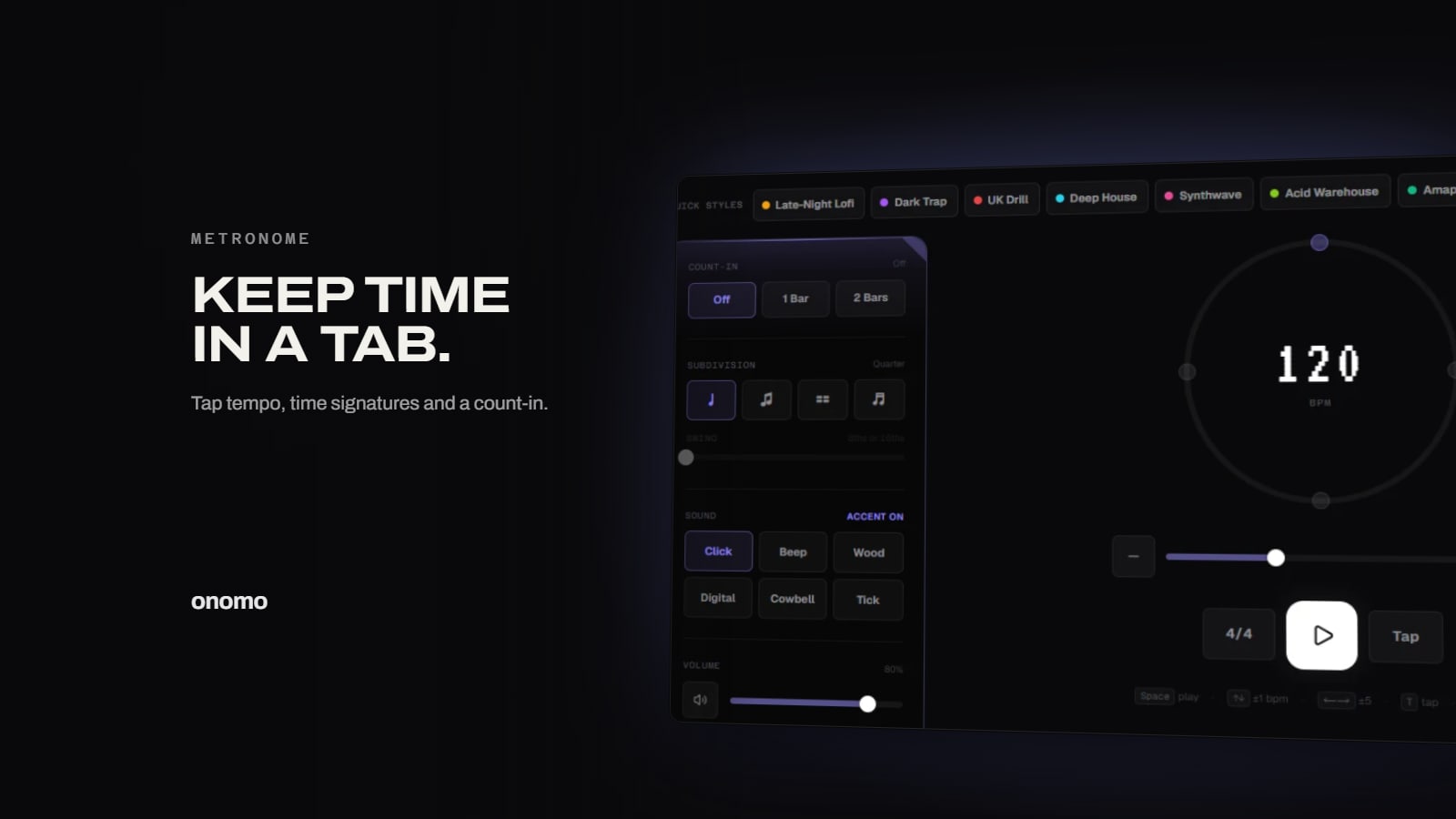
Timing is the skill that separates "can play the notes" from "sounds good." The Metronome is your practice partner for that — a steady click you play along to so your internal clock gets rock-solid.
It goes beyond a basic tick:
- Tap tempo — tap along to any song and it figures out the BPM, so you can match a track you're learning or quickly find a comfortable practice speed.
- Time signatures — set it to 4/4, 3/4, 6/8, or whatever your piece is in, with an accent on the downbeat so you feel the bar.
- Subdivisions — click on eighths, sixteenths, or triplets to practice tighter rhythmic feels and tricky passages.
- Cross-tab sync to your Onomo sessions — the metronome can stay in sync with what you're doing elsewhere in Onomo, so your practice click and your sessions agree on tempo.
The classic way to use it: start a passage slower than the final tempo, get it clean and even against the click, then nudge the BPM up bit by bit. Speed built on a metronome is speed that stays clean.
The Chord Palette: find chords and write progressions
When you're writing a song or learning theory, the question is always "what chords go together?" The Chord Palette answers it instantly. Pick a key and mode, and it shows you all the chords that naturally belong in it — the family of chords that sound right together — along with voicings (different ways to arrange the notes of each chord), plus MIDI export if you want to pull a progression into a project.
This is a shortcut to two things: writing (grab chords you know will fit and start arranging a progression) and learning (see which chords live in a key and start to internalize how progressions are built). Instead of hunting for chords by trial and error, you've got the whole in-key palette in front of you.
Why "in the browser" actually helps a musician
The practical win isn't a feature — it's access. Your tuner and metronome are on every device you own the moment you open a tab: your laptop on the couch, your phone in a rehearsal room, a friend's computer when you forgot your gear. There's no app to install, no login wall before you can check if your guitar is in tune. For the everyday fundamentals — tune, click, chords — that instant availability is worth more than any bell or whistle, because you'll actually use tools that are always right there.
And if practicing ever turns into writing, the same toolkit connects onward: a progression from the Chord Palette can head into the Studio DAW, and the metronome already speaks the same tempo as your sessions. The practice tools and the creative tools are the same family.
FAQ
Are the tuner, metronome, and chord finder free? Yes. All three run free in your browser, with no download and no account needed to start using them.
Do they work for any instrument? The Tuner is chromatic, so it works for guitar, bass, ukulele, violin, brass, voice, and more. The Metronome and Chord Palette aren't instrument-specific — they help any musician.
Do these work on my phone? Yes — all three run in a mobile browser, so you can tune up, practice to a click, and find chords right on your phone.
Does the tuner need a special microphone? No. It uses your device's built-in mic. Tuning in a quieter spot and close to the mic gives the most stable reading.
What does the chord palette export?
MIDI (.mid), so you can take a progression you've built straight into a DAW project — including Studio — and keep working on it.
Can the metronome match a song's tempo? Yes — use tap tempo to tap along to the track and it calculates the BPM, so you can practice at the song's exact speed (or slower, then build up).
Ready to try it yourself?
Onomo is a creative suite in your browser — a full DAW, a design editor, a video editor and a writing room. Free to start, nothing to install.
Open the toolkit