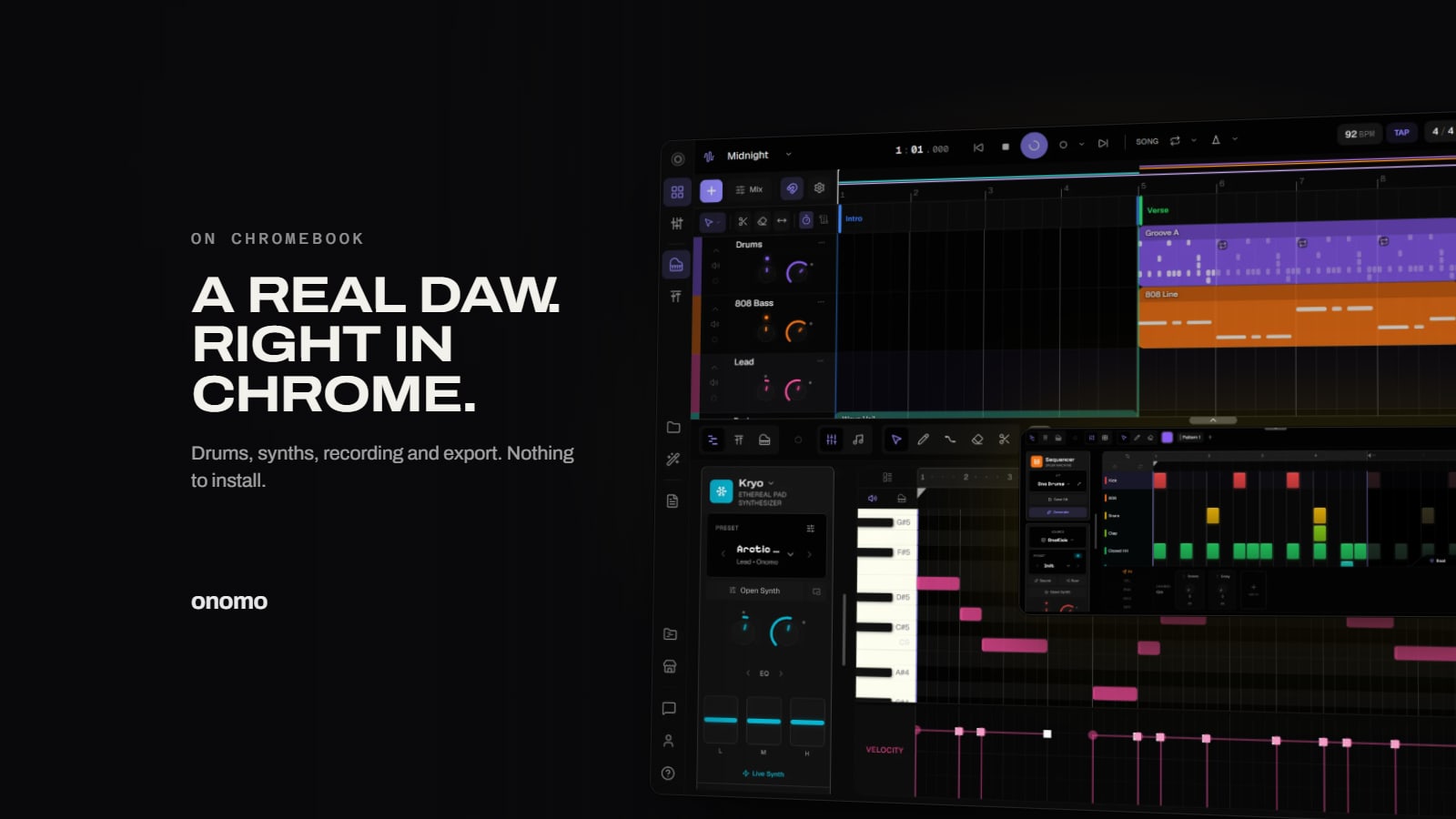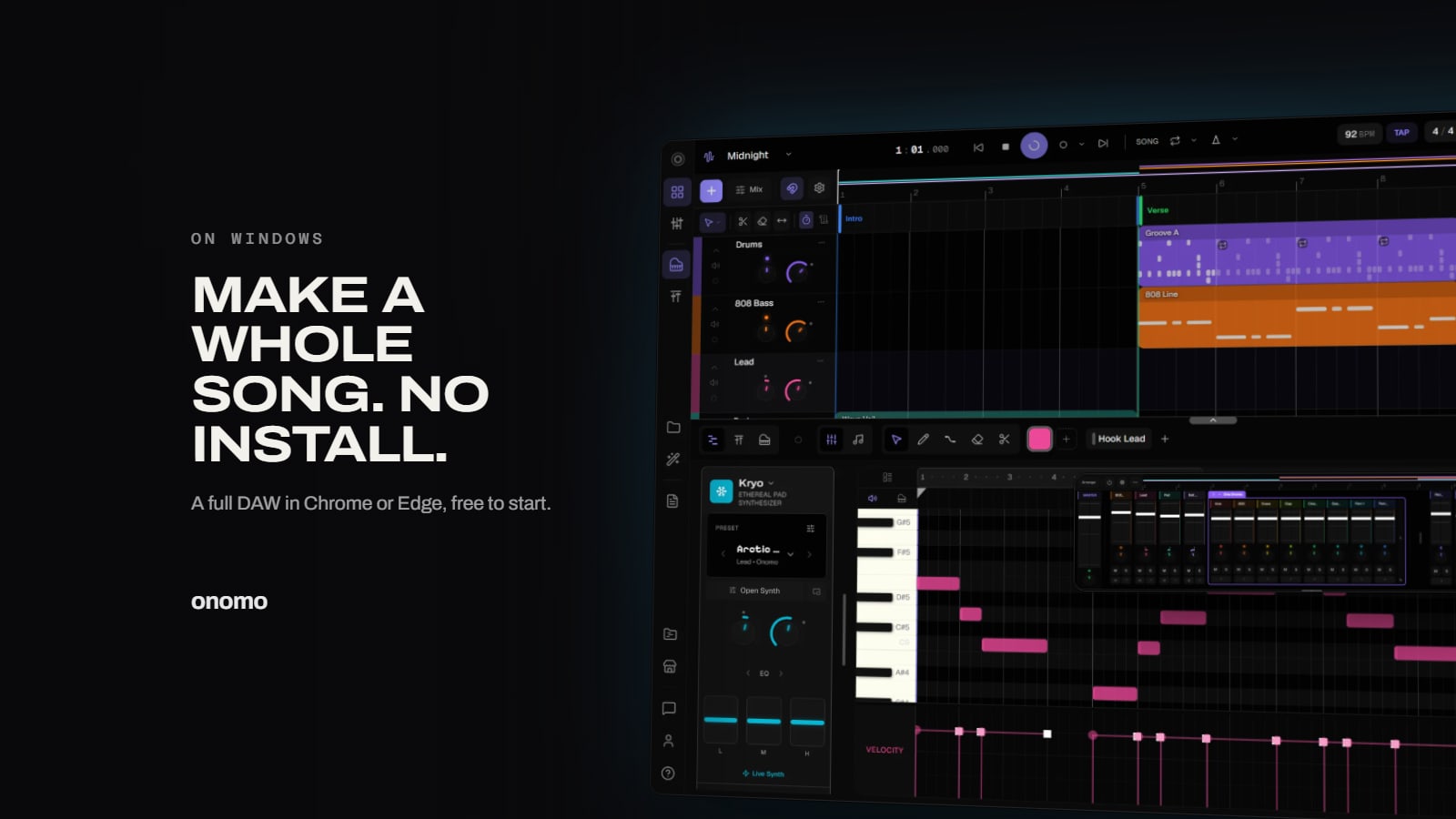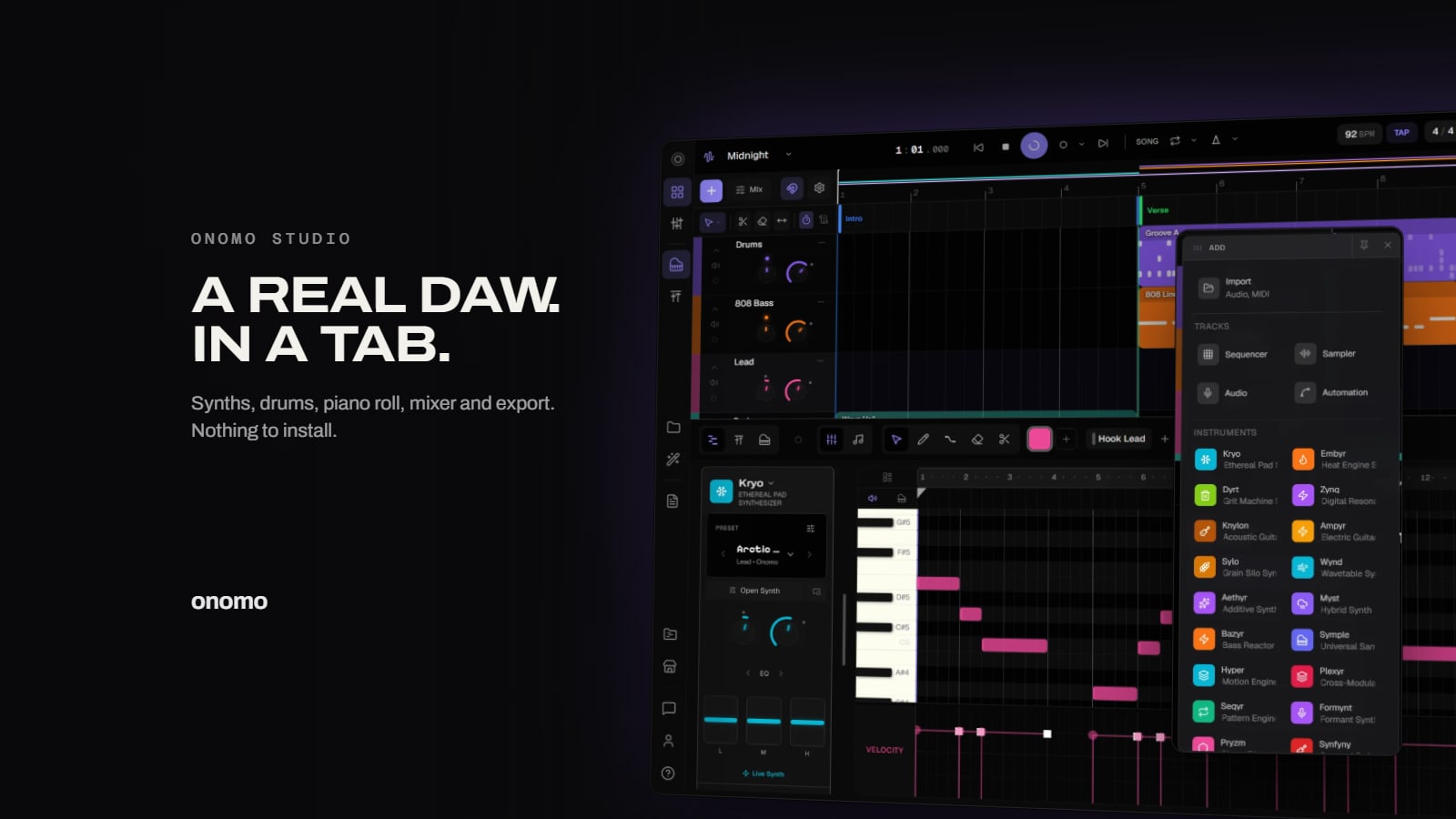
For years, "online DAW" meant a toy — a four-track loop arranger that could barely export an MP3. So the phrase still makes serious producers wince. That reputation is out of date.
A browser-based DAW can now be a real digital audio workstation: genuine sound synthesis, a full arrangement timeline, a mixer with bus routing and sidechain, and lossless export. The advantage on top of that is hard to argue with — it's free, there's nothing to install, and it runs on whatever machine is in front of you, including a Chromebook or a school laptop. This is a tour of what that actually looks like in Onomo Studio, and an honest take on where a browser DAW shines and where a heavyweight desktop setup is still the right call.
Looking for GarageBand online, with no download?
That's one of the most common searches that lands here, so here's the straight answer: GarageBand is Apple-only. It runs on Mac, iPhone and iPad, and there is no official web version and no Windows or Chromebook version. Sites offering a "GarageBand for PC" download are not from Apple — be careful what you install.
If what you actually want is what GarageBand gives Mac users — a free, friendly place to make a full song with instruments, drums, recording and mixing — a browser DAW is the closest thing that runs on any computer. Studio opens in a tab on Windows, Mac or a Chromebook, with nothing to download. The workflow will feel familiar: tracks on a timeline, a piano roll for melodies, a step sequencer for drums, a mixer, and export to WAV or MP3 when you're done.
It's a real DAW, not a loop toy
The thing that separates a workstation from a toy is the audio engine, and this is where the old browser-tool reputation falls apart. Studio runs on a custom engine built from hand-written AudioWorklets — low-level audio code running on a dedicated thread in your browser, not a stack of pre-baked loops triggered by a web page.
What that buys you is real synthesis. The instruments aren't sample-playback wrappers pretending to be synths; they generate sound from scratch the way hardware and desktop soft-synths do.

Dozens of synth engines, built on actual synthesis
Studio ships dozens of distinct synth engines, and they cover the major families of sound design rather than dozens of flavors of the same oscillator:
- Subtractive — the classic analog-style approach: rich oscillators shaped by filters. Your bread-and-butter basses, leads, and pads.
- FM — frequency modulation for metallic bells, glassy keys, gnarly digital basses, and that unmistakable DX-era sheen.
- Wavetable — scan through evolving waveforms for modern, moving timbres.
- Granular — break sound into tiny grains for clouds, textures, and atmospheres.
- Additive — build tones up from individual harmonics for precise, pure-toned results.
- Physical modeling — simulate the physics of strings, mallets, and resonant bodies.
- Formant — vowel-like, vocal character that no simple filter sweep gives you.
Plus more across the set. The point is range: you can sound-design a deep sub, a brittle FM pluck, an evolving wavetable pad, and a breathy formant lead without ever leaving the instrument rack — and every patch is a real, editable preset, not a frozen sample.

Drum engines for the rhythm section
Rhythm gets the same treatment with a full set of drum engines, so your kicks, snares, hats, and percussion are synthesized and shapeable rather than locked one-shots. That matters when you want a kick to hit slightly harder, a snare to crack differently, or a hat to sit back in the mix — you're shaping sound, not hunting for a different WAV.
The step sequencer and the piano roll
You get both of the two main ways to program music, and they complement each other:
- The step sequencer is the fast, grid-based, drum-machine way to lay down patterns — but with real depth. Every step carries its own velocity, probability, length, pan, and pitch. Probability per step is the one to know: set a ghost hat to fire only some of the time and your loop stops sounding like a robot and starts breathing.
- The piano roll is full MIDI editing for melodies, chords, and basslines — draw, drag, and fine-tune notes with the precision you'd expect from a desktop DAW.
A mixer that does real mixing
A timeline full of parts is only half a song. Studio's mixer is where it becomes a record:
- Bus routing — group tracks (all your drums, say) onto a bus and process them together.
- Sidechain — duck one track from another's signal, the engine behind that pumping kick-versus-bass groove in dance and hip-hop.
- Sends — feed tracks into shared effects like a single reverb, the classic way to glue a mix.
- Tempo / BPM automation — your project tempo can move and ramp over time, not just sit at one fixed number.

A deep effects rack, plus a Track EQ
Every track has a built-in Track EQ, and on top of that you get a deep rack of Ono effects to shape and finish your sound: the essentials (reverb, delay, compressor, saturation, chorus, tune for pitch correction, filter, gate, phaser, flanger, limiter, and EQ) plus character pieces like a tape echo, a spring reverb, a transient shaper, and a mastering strip. That's a full mixing-and-mastering bench — corrective tools, character tools, and the limiter you put across the master to get a competitive level — without installing a single third-party plugin.
Instant access, aggressive auto-save, real collaboration
Because there's nothing installed, there's also nothing stuck on one machine. Your projects live in your account and auto-save as you work, so a closed tab or a dropped connection doesn't cost you the session. Forgot your laptop? Borrow a friend's machine, log in, and keep producing. Traveling? Sketch on a tablet or Chromebook. No "did I export the latest version?" panic, and no plugin crashes wiping out fifteen minutes of flow — with no third-party VSTs in the chain, there are no plugins to conflict.
Collaboration follows the same logic: instead of zipping up project folders, you invite collaborators into the session — directly, or with a private invite link that expires after 48 hours — and set granular permissions — can they record new parts? Edit existing tracks? Adjust instruments and effects? Modify the mix or arrangement? You decide; it's not an all-or-nothing share. Multiple people can work on the same project simultaneously and see each other's edits in real time — cursor movements, note placements, mixer adjustments. No version mismatches, because everyone's on the same page, literally. (Anyone can join a session for free; hosting one is part of Plus and Pro.)
Record, then export to real formats
Studio records audio at 44.1kHz, so you can track vocals, guitar, or anything through your input straight into a project.
When the song's done, export is where browser DAWs used to fall down — and where this one doesn't. You can render out to:
- WAV and MP3 for finished audio,
- MIDI to take your parts elsewhere,
- and per-track stems to mix or master somewhere else.
On the audio side, export goes up to 96kHz sample rate, with quality presets running from 16-bit up to 32-bit float — high-resolution masters when you need them. (Recording itself is 44.1kHz; the higher rates and bit depths are choices at the export stage.)
Ono and Foundry: optional jumpstarts, never crutches
Two features can get you moving faster without taking the wheel:
- Ono is the built-in AI assistant. Instead of spitting out a locked audio file, it drops editable MIDI, patterns, and presets right into your project, so you stay the producer. It gets a full breakdown in its own guide.
- Foundry is a set of three free algorithmic generators — a Kit Generator, a Loop Generator, and a MIDI Generator. These are rule-based, not trained AI: they build kits, loops, and MIDI from music theory and randomization, which means zero copyright risk and a one-click "send to Studio." Great for breaking a blank-page stall.
The honest part: what a browser DAW is great for
Here's the straight version, because overpromising helps no one.
A browser DAW like Studio is genuinely excellent for the kind of music most people actually make: bedroom production, electronic, hip-hop, pop, lo-fi, and beats. Synth-driven, MIDI-driven, sample-light music is squarely in its wheelhouse, and the free + no-install + cross-platform combination is a real, not marketing, advantage — especially if your machine is modest or locked down.
What it isn't trying to be is a 64-track orchestral scoring rig running 80 GB of multi-sampled libraries and a wall of paid plugins. That's a different tool for a different job, and if that's your workflow, a heavyweight desktop DAW is the right call. The two can coexist: export MIDI and stems from Studio and move them anywhere you like.
For everyone else — and that's most people starting out, working on a Chromebook, or just wanting to open a tab and make something today — a browser DAW removes every barrier between you and a finished track.
If you're a beginner comparing free DAWs
Search "best free DAW" and you get listicles that blur the part that matters: there are three flavors of "free." Truly free (full features, no time limit, no card — rare and valuable), the free tier of a paid product (works forever, but with locked features like export formats and track limits engineered to nudge you toward the paid version), and the free trial (full features for 30 days, then it's a paid product — useful, but not "free").
Among the truly free options: if you're on a Mac or iPhone, GarageBand is a polished, genuinely free starting point — the catch is that it's Apple only. A browser DAW is the option that runs on any machine, including the Windows PC, the Chromebook and the school laptop GarageBand can't touch, with zero setup.
The real beginner trap isn't picking the "wrong" DAW — it's spending three weeks researching DAWs instead of making music. Every option here can make a finished song, and the skill transfers between them. Pick one in the next five minutes, make a loop today, and don't look back. If setup friction is what's stopping you, the browser removes it entirely.
FAQ
Is it really free? Yes. Studio runs in your browser with a custom audio engine, dozens of synth engines, a full set of drum engines, a deep effects rack plus Track EQ, a full mixer, recording, and export — free, no download, no credit card; you just need a free account.
Do I need to install anything? No. There's no app and no plugins to install. You sign in, open /studio in a modern browser, and start working. Nothing downloads to your machine to get going.
Does it work on a Chromebook or a low-end laptop? Yes — that's one of the biggest reasons to use a browser DAW. It runs in a modern browser on Chromebooks, Windows and Mac. Big sessions with lots of synths lean on your CPU like any DAW, but there's no install and no minimum spec sheet to clear first.
Is there a GarageBand for Windows or Chromebook? No — GarageBand is Apple-only, with no official web, Windows or Chromebook version. A browser DAW like Studio is the closest free equivalent that runs on those machines, with nothing to download. More in GarageBand for Windows: the free alternative and The Best Free DAW for Chromebook.
Can I make music on my phone? Not yet. Studio needs a laptop or desktop-sized screen for now — on a phone it points you to the Toolkit, Foundry, and Journal instead, which work well on mobile. A full production session (timeline, mixer, piano roll) wants a real screen and keyboard anyway.
What can I export? WAV and MP3 for finished audio, MIDI for your parts, and per-track stems. Audio export supports up to 96kHz, with quality presets from 16-bit up to 32-bit float.
Stop researching DAWs and make a loop instead. Open Studio and you've already started — no install required.
Ready to try it yourself?
Onomo is a creative suite in your browser — a full DAW, a design editor, a video editor and a writing room. Free to start, nothing to install.
On your phone? Make your account now and open Studio later on a laptop, Chromebook or tablet. The free Toolkit works right here.
Open Studio — freeOther product and company names mentioned here are trademarks of their respective owners. Onomo isn’t affiliated with or endorsed by them. Details about other products are accurate to the best of our knowledge as of the post date and may change.